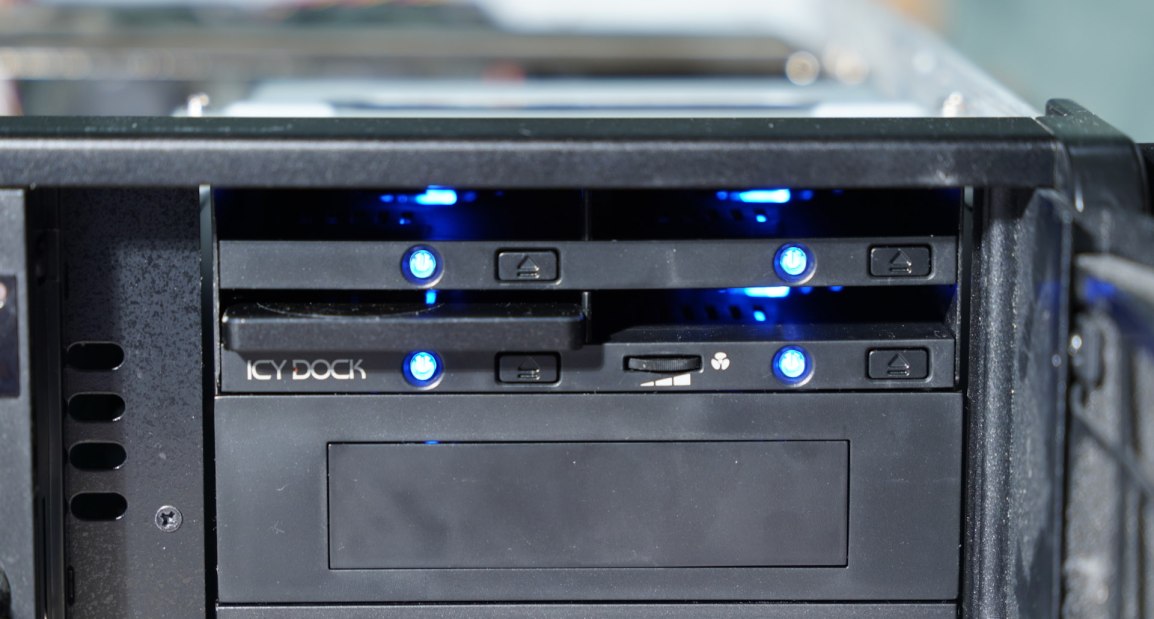
I’ve got a machine that I’ll be repuposing and decided to add additional drives to it. I’ve got plenty of 2.5 inch drives on shelves and through they would be good candidates for the machine. Often times, the limits on how many drives I place in a machine is from how many bays there are to place them; the machines are often capable of connecting to more drives. There is just no place to put them.
The Icy Dock (or flexDOCK) is a solution for this. I’m using a SATA verion. There is a version for M.2 drives also. The Icy Dock distributes power to up to 4 drives (only one power cable is needed to the Dock) and provides 4 slots for holding hot-swappable drives. The device installs into a 5.25 inch bay. Horizontally in line on the back of the dock are 4 SATA connectors; one connector is available for each drive. There is also a fan on the back of the unit for circulating air over the drives. Speed adjustment for the fan is on the front of the dock. There’s a jumper on the back for disabling the fan alltogether.
Provided that the computer’s operating system and firmware supports it, these drives are hot-swappable. If one wants to experiement with different operating systems on the same computer, this is a great option for being able to swap out drives without breaking out a screwdrive or removing drive bays. Each one of the slots for a drive has a power button that can be used to disrupt power from the drive, and an eject button.
One criticism I have is that the eject buttons sometimes require a lot of force to eject the drive. But it is still much easier and more convinient than opening up the drive.
You can find the Icy Dock on Amazon here (affiliate link).
Posts may contain products with affiliate links. When you make purchases using these links, we receive a small commission at no extra cost to you. Thank you for your support.
Mastodon: @j2inet@masto.ai
Instagram: @j2inet
Facebook: @j2inet
YouTube: @j2inet
Telegram: j2inet
Bluesky: @j2i.net
 j2i.net