Re-Flashing a Meshtastic Device

I had a couple of Meshtastic devices that were presenting challenges when I tried to pair them with my phones through the Meshtastic application. It turns out that the simple solution was to flash more recent firmware to them. This might not be obvious at first given that one usually flashes the device with a phone and the problems I encountered prevented phone pairing.

When connected to a computer with a USB port, the devices can present as drives. For them to present this way, you may need to hold down a button (the exact actions, if any, may vary from one hardware model to another). One in drive mode, you can open a browser to https://flasher.meshtastic.org and do the firmware update through the browser. The page will ask you to confirm your Meshtastic model, which firmware version that you want, and which drive letter on your computer refers to the device.

After flashing the new hardware, the problems I was experiencing went away. I thought that this solution needs some elevation and visibility. If you would like to see my experience with it, here is a video below.


Posts may contain products with affiliate links. When you make purchases using these links, we receive a small commission at no extra cost to you. Thank you for your support.

Mastodon: @j2inet@masto.ai
Instagram: @j2inet
Facebook: @j2inet
YouTube: @j2inet
Telegram: j2inet
Bluesky: @j2i.net

Working with Alternative Data Streams in Power Shell

Close to five years ago I made a post here on working with Alternative Data Streams on Windows with .Net. Today (within the last hour) I had to come up with a quick solution for which I used an ADS solution. I’m on a small break and am making this post hurriedly. A CMS was going to deposit some files onto a machine, including a zip file that contained a collection of assets. If the file were newer than the last set of assets, I needed to unzip them to some pre-decided destination. For this CMS, when a file version changes, the file name also changes (the file’s hash is a part of its name). This lets us use very simple logic. If the current name is not the same as the last name, unarchive the file somewhere.

Keeping track of the most recent file name is just a matter of writing some data to a file. I could have written to a file of any name. But I prefer to write such things in a way that lowers a user’s propensity to touch it. I decided to write it to an alternative data stream named version.info. This script has room for improvement. But for now we were working for a “good enough” situation until we can refine things more. This is the script that I used.

$source =$args[0]
$destination=$args[1]
$destinationMeta = "$destination`:version.info"
$fileName = Split-Path $source -Leaf
write-host $fileName
write "Destination: $destination"
write-host $destinationMeta
$contents = Get-Content -Path "$destinationMeta"
write-host "Contents: $contents"
write-host "Last version stamp is $lastStamp"
if($contents -ne $fileName) {
Write-Host "This is a new file name. Applying.";
Expand-Archive -Path $source -Destination $destination -Force
Write-Host "Executing [ Set-Content -Path $destinationMeta -Value ""$fileName""]"
Set-Content -Path "$destinationMeta" -Value "$fileName"
$x = Get-Content -Path "$destinationMeta"
Write-host $x
}

Let’s say the script is called unpackage.ps1. When invoked, the first argument is the path to the zip archive and the second the path to the destination folder (without a trailing backslash). If you run it with the same arguments multiple times, it will only unzip the archive once. For now, this means we could invoke the script daily with the CMS’s daily refreshes and it will only take action on the file system when there is an update.


Posts may contain products with affiliate links. When you make purchases using these links, we receive a small commission at no extra cost to you. Thank you for your support.

Mastodon: @j2inet@masto.ai
Instagram: @j2inet
Facebook: @j2inet
YouTube: @j2inet
Telegram: j2inet
Twitter: @j2inet

Assembling a Camera Mount::1 Inch Ball Components

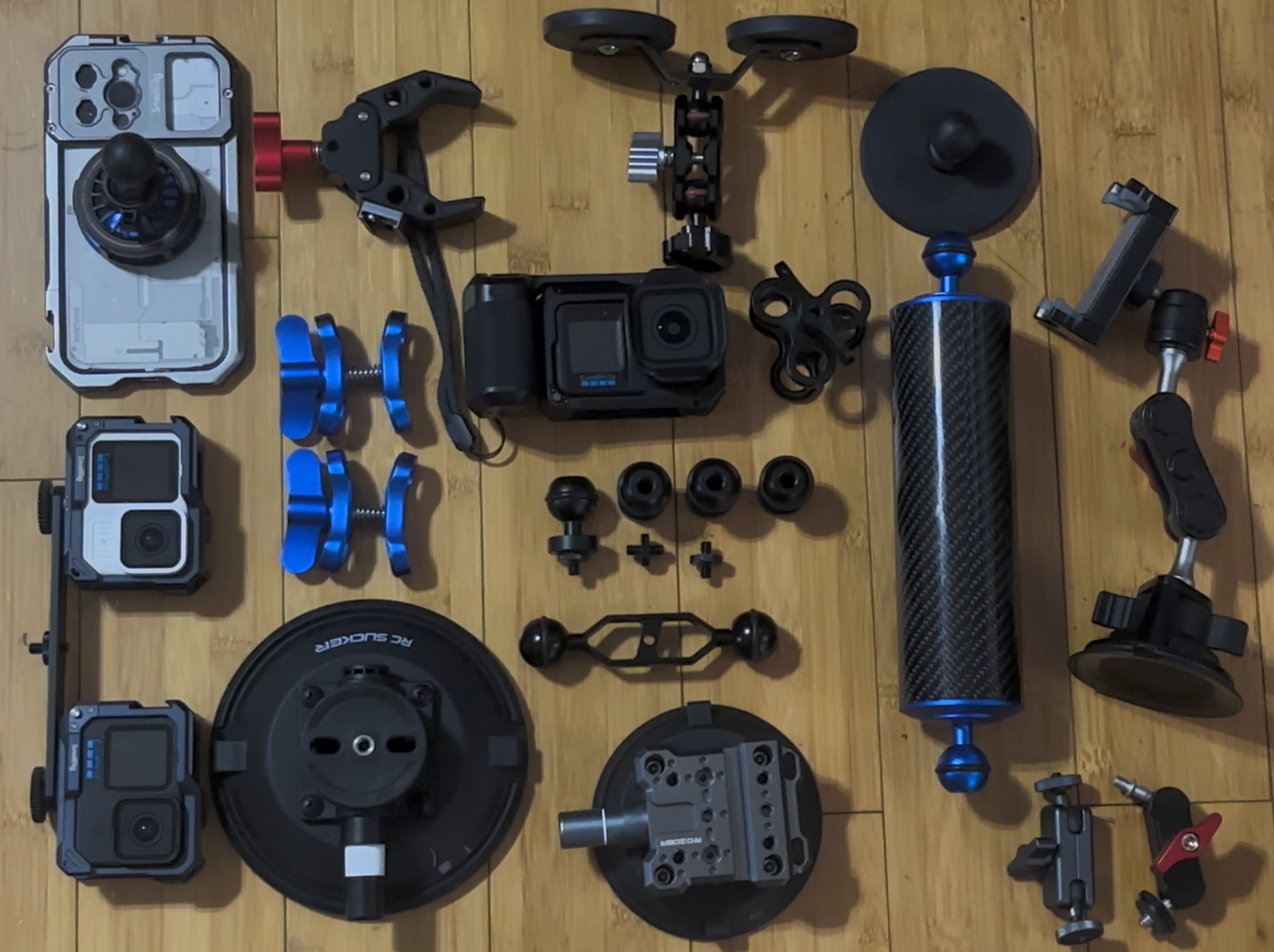
Fitting components together for operating a camera in a particular environment is a fairly common need. There is an endless way to fit a camera to robot arms, ground vehicles, air vehicles, or even with people in specific scenarios. One of the common components is the 1-inch (22mm) ball mount. Such systems have in common the use of a 1-inch ball (often with a ribber ring around its equator or with ridges) and a rod on which something can be attached held in place with a butterfly clamp.

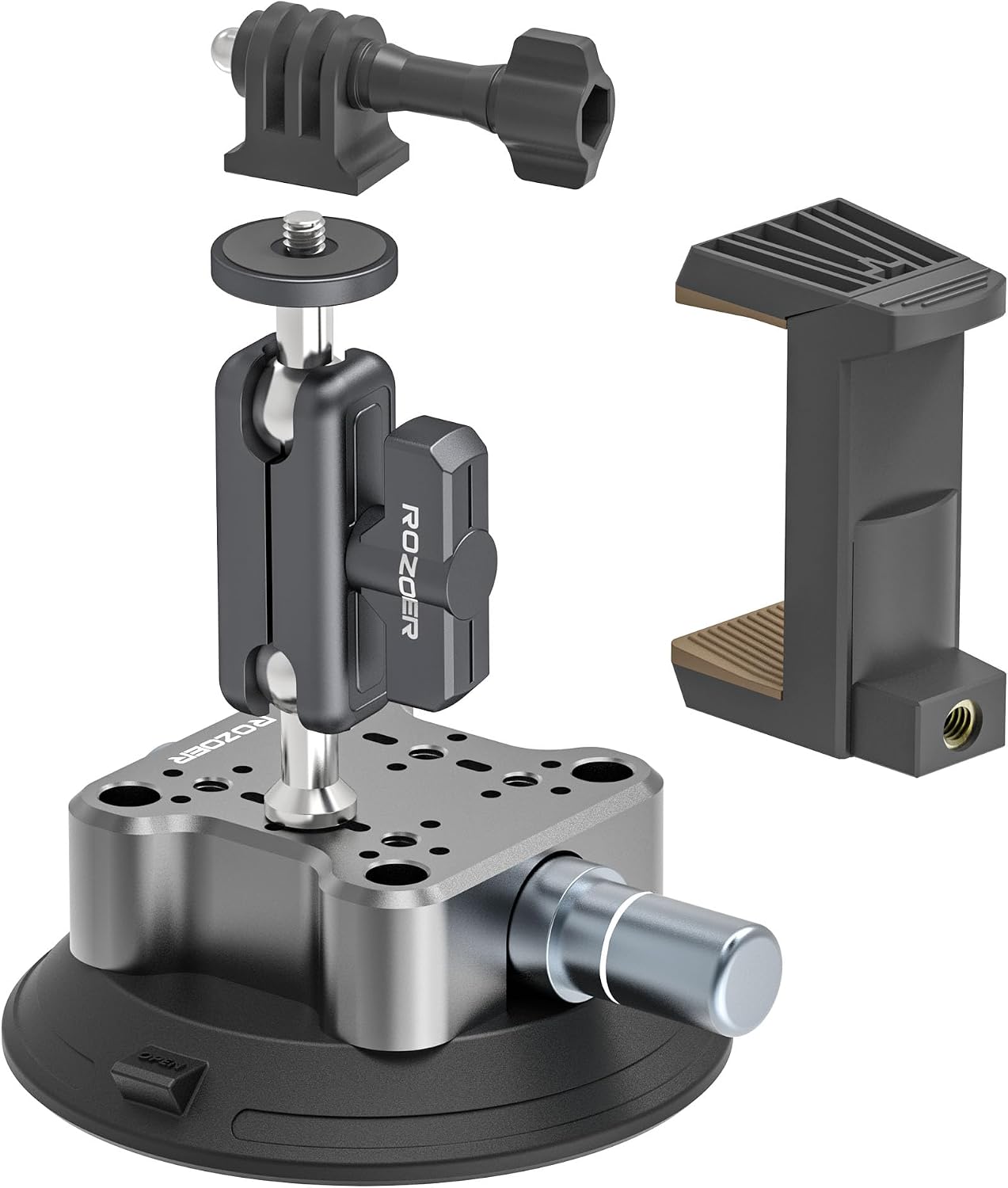
There are a lot of preassembled camera mounts (especially various suction cup mounts) that use these components. Someone not familiar with this system might not recognize that these parts are often interchangeable. They can be mated with components from other systems or even have individual components added to fit a need. Let’s take a look at a suction cup mount that I’ve often used.

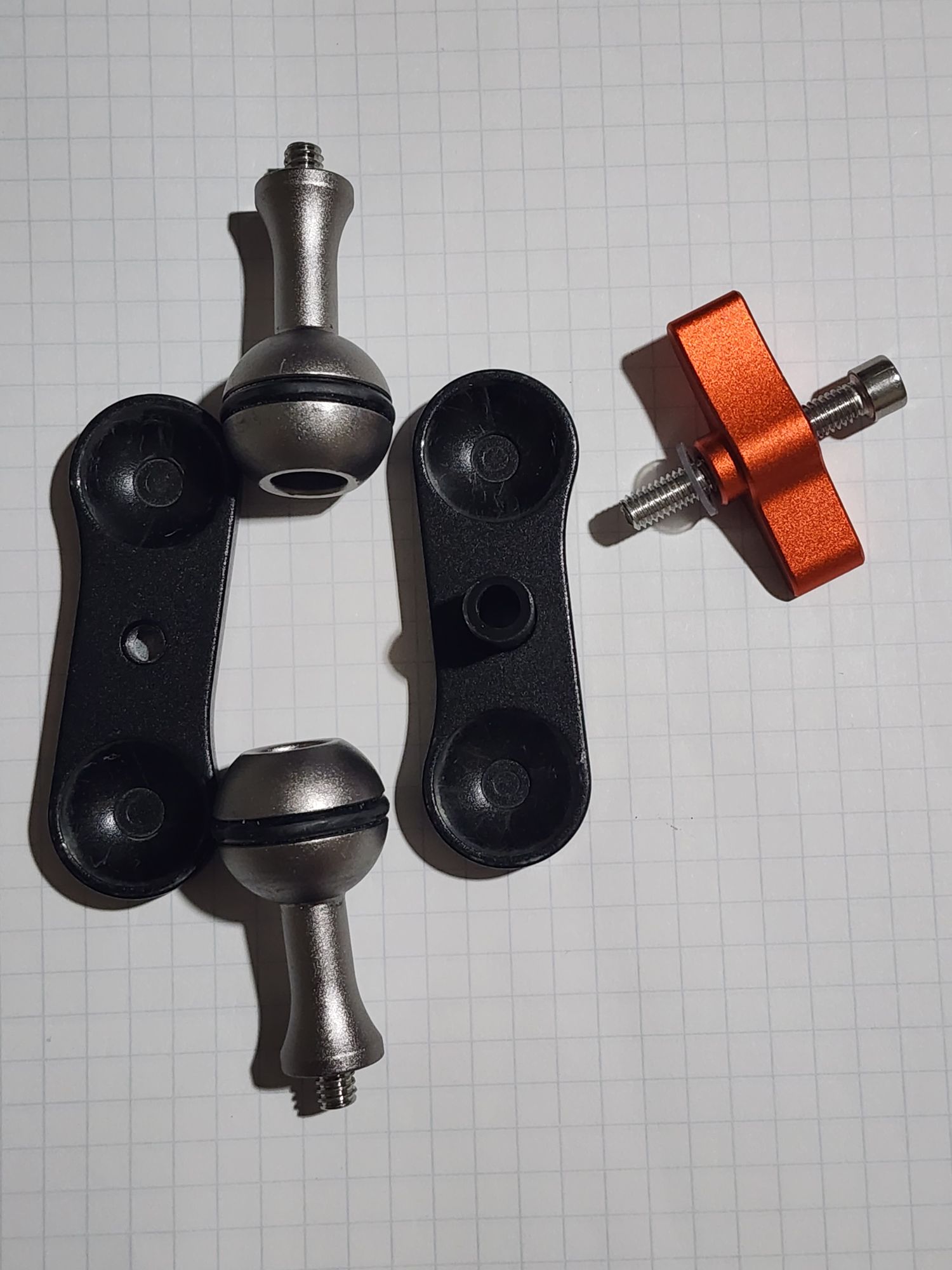
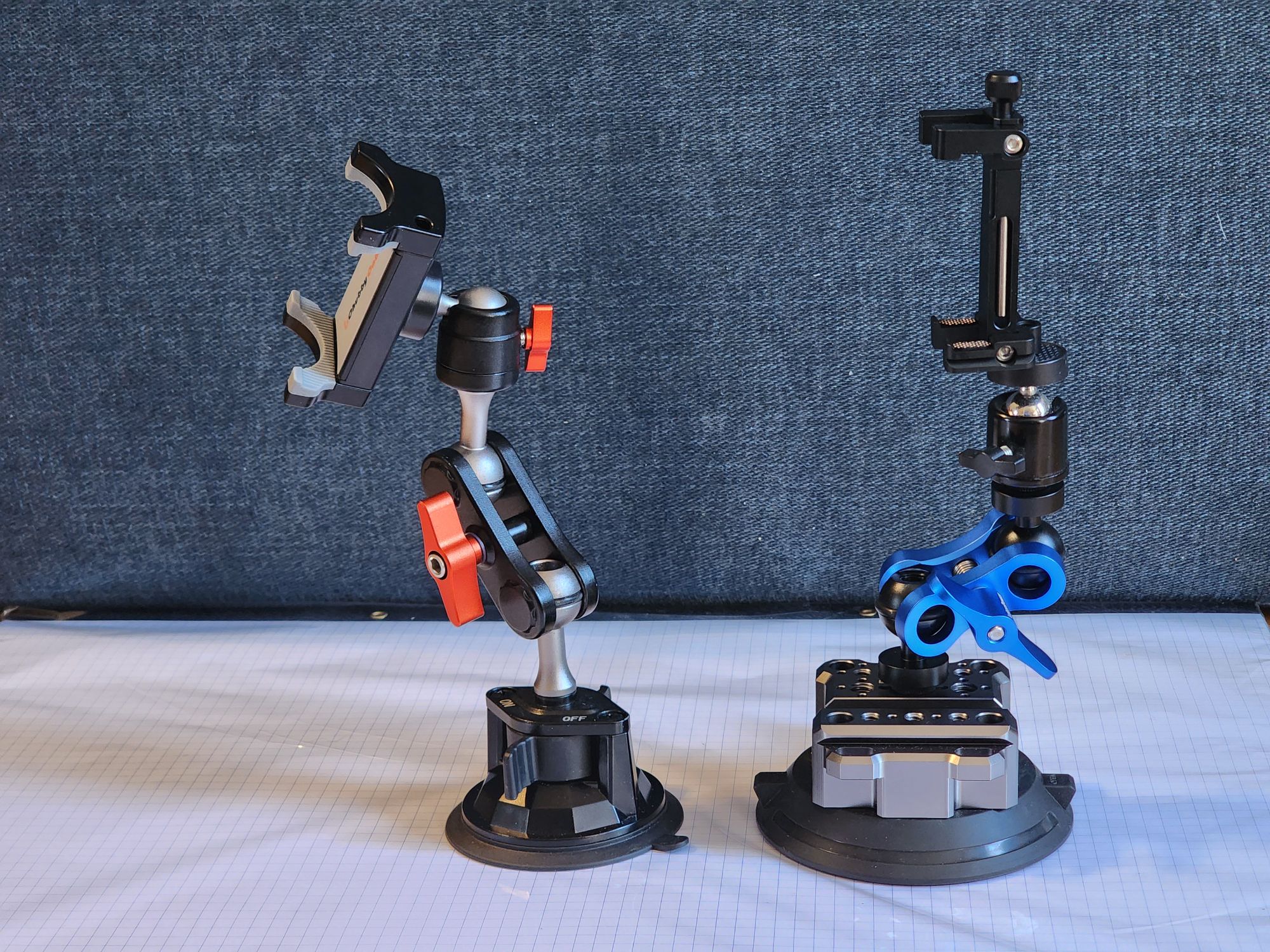
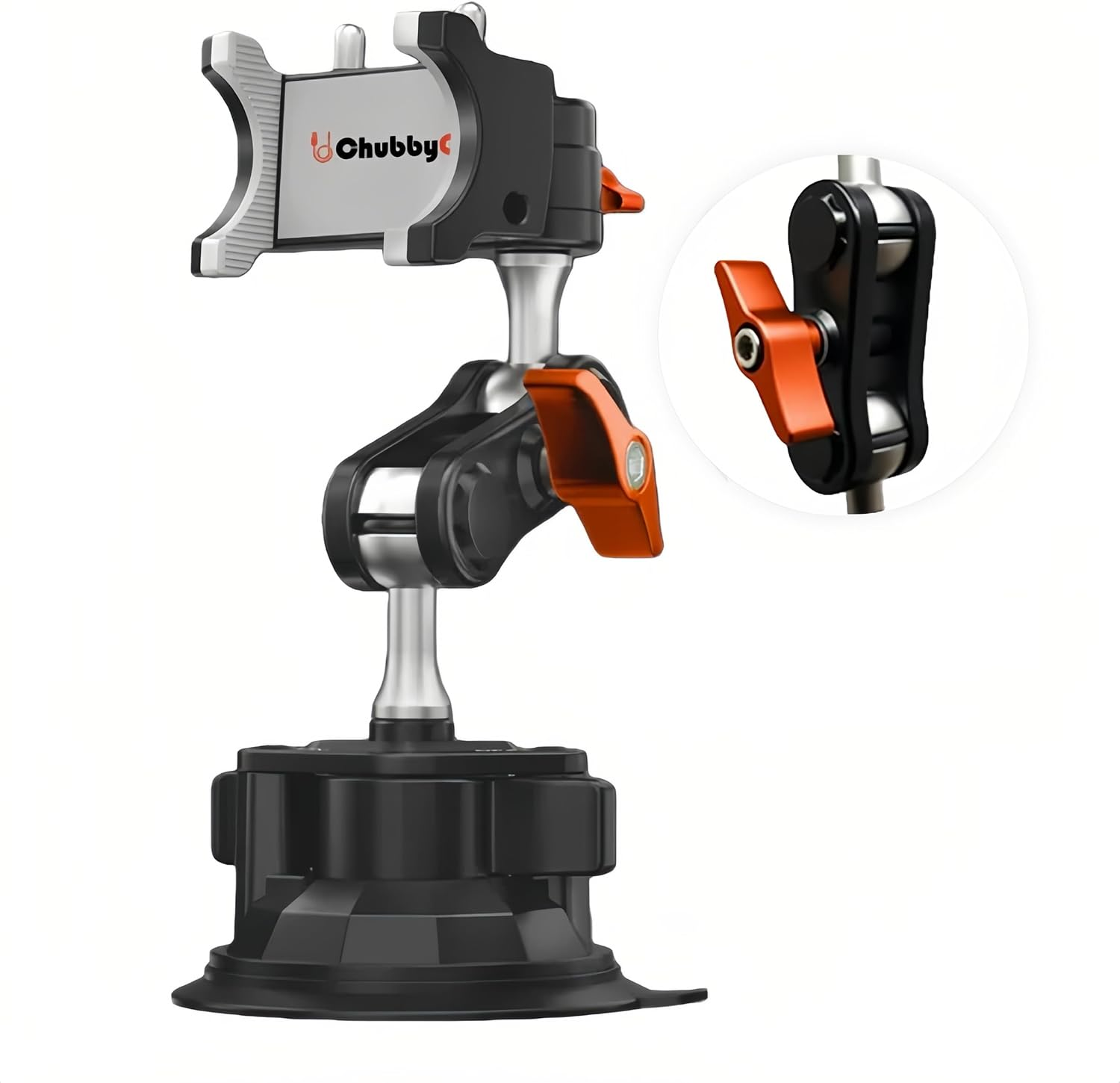
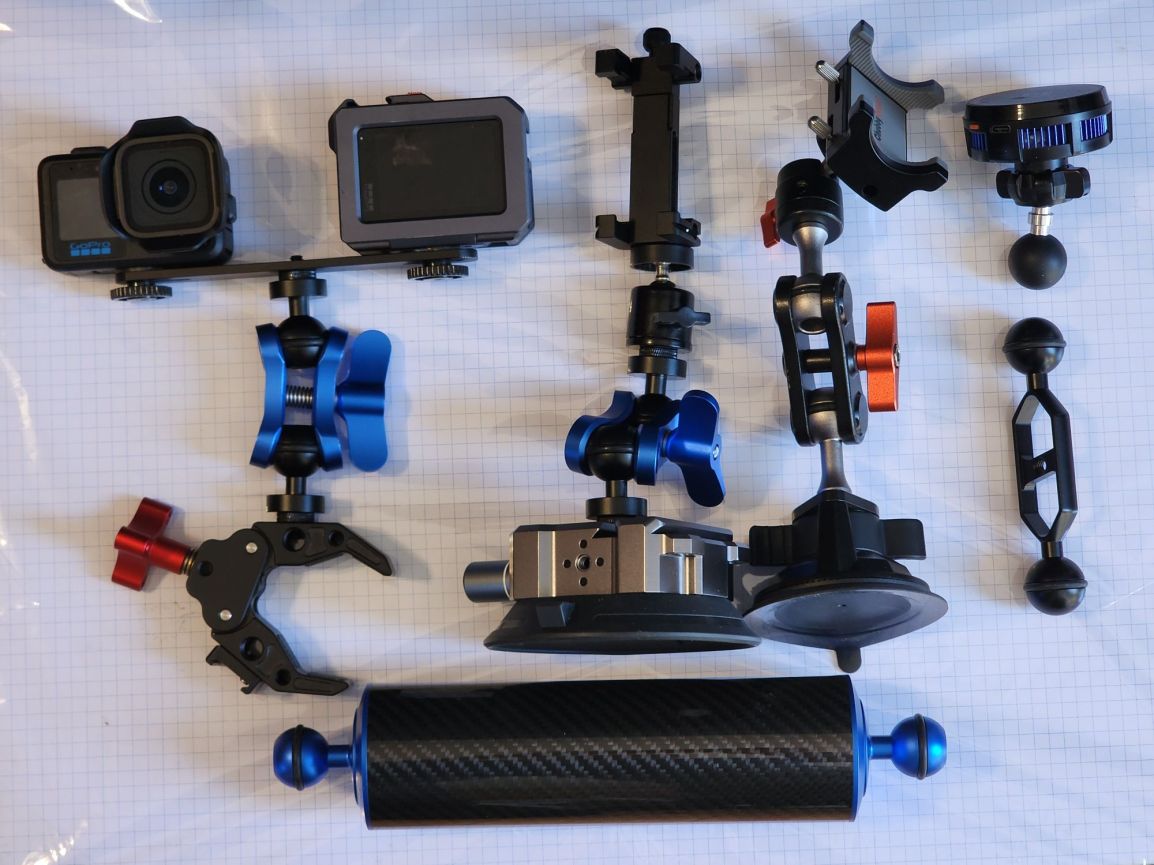
This mount has a few points of articulation. Someone can adjust the angle between the base and the arm, the arm and the ball head for the phone mount. And the ball-head phone mount has its own high range of adjustments. While this is sold as an atomic piece, one can start to take it apart without tools. The arm is connected to the suction base with a ball that has a quarter-twenty screw on it (this is the same size used my many tripods and other photo equipment). One can just unscrew it. This leaves us with the two balls and the clamp. Using an hex wrench I can remove the centra bolt holding the clamp together, and we are now down to base components.

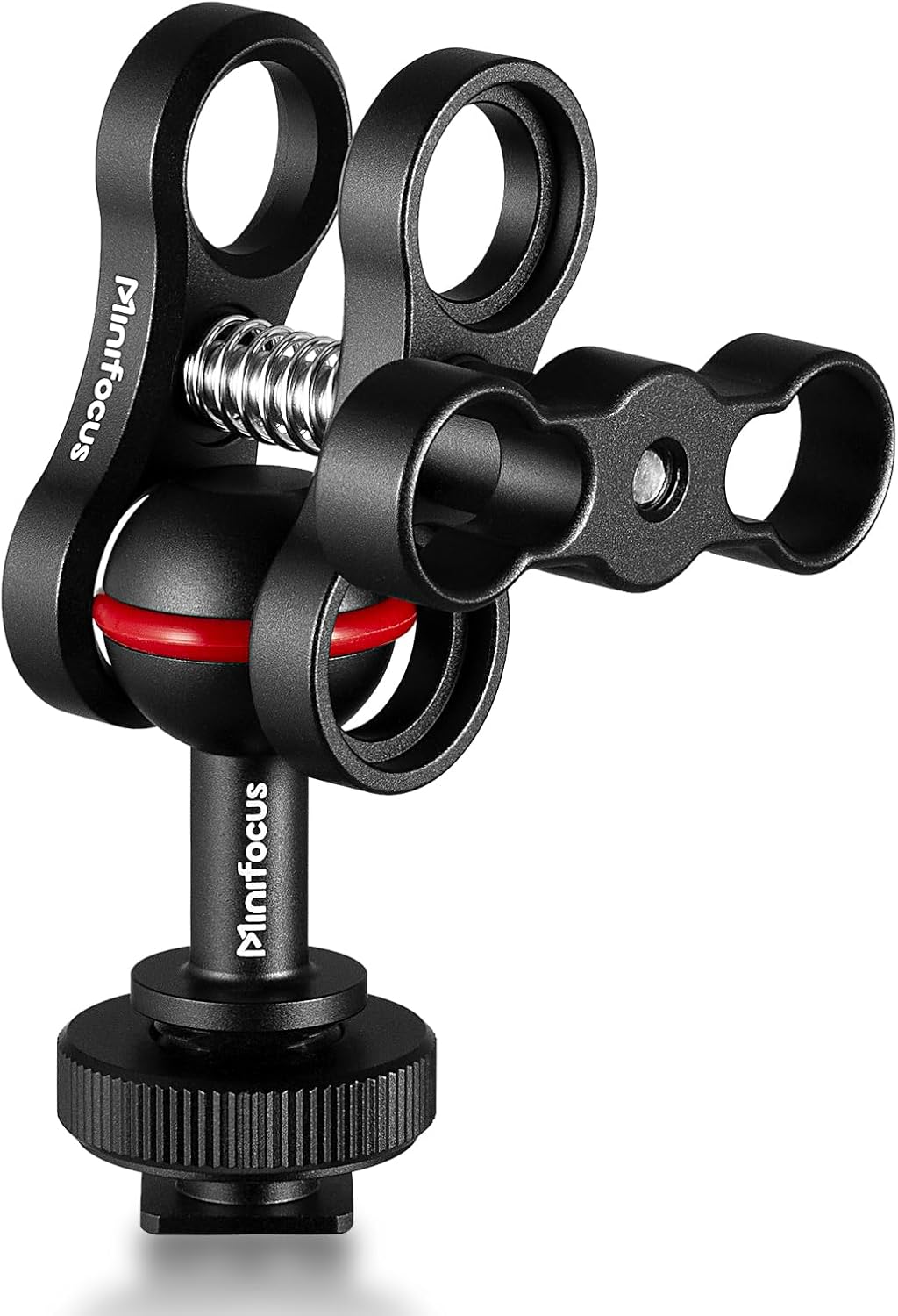
Disassembled Butterfly Clamp and Ball Mounts
Disassembled Butterfly Clamp with two 1-inch ball to quarter-twenty mounts

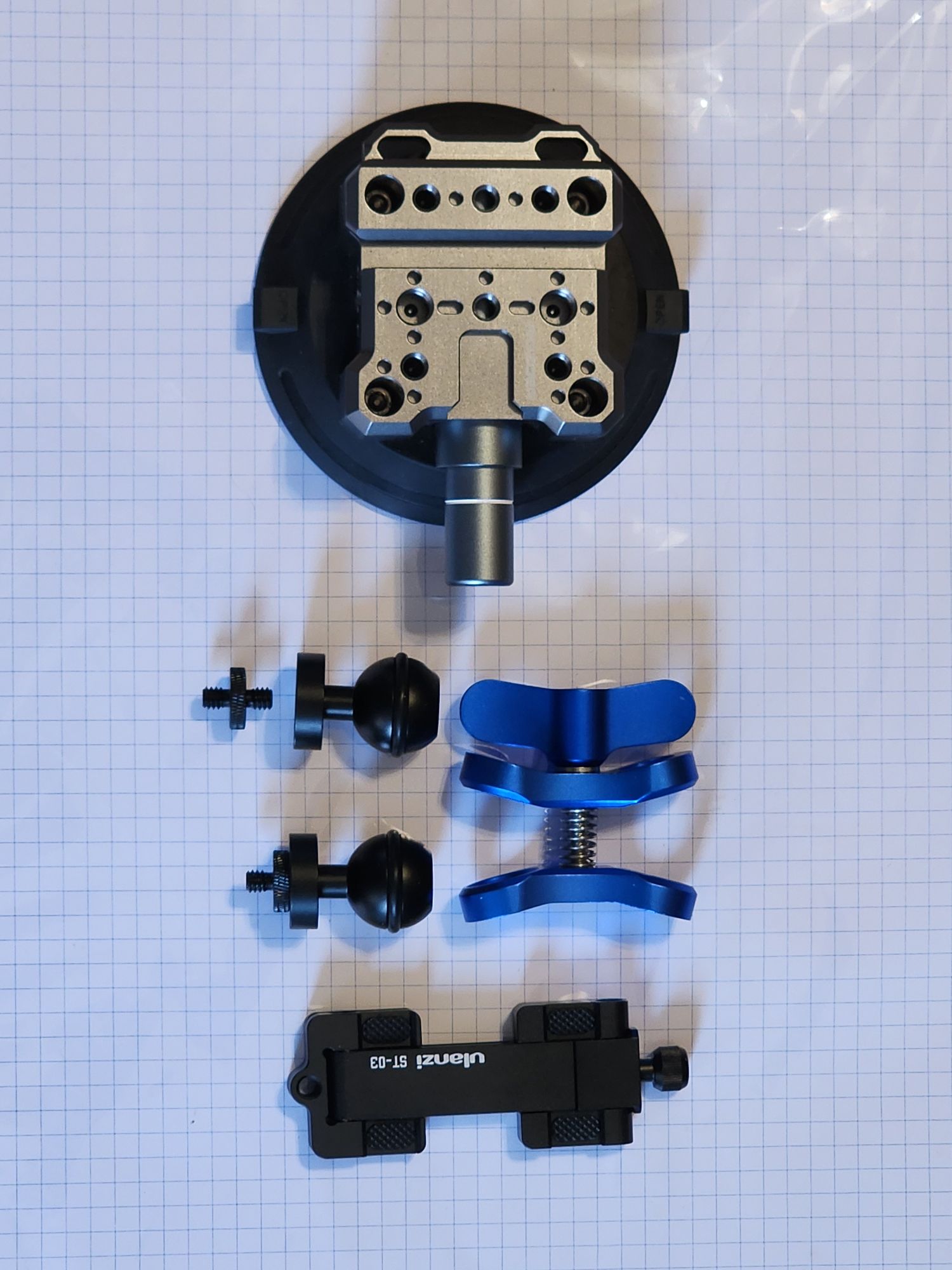
Were this mount not available as a single unit, once could build a functional equivalent. I’ve got another suction cup base that supports attaching items to the top of the suction base or to the side. I’ve found the side is more useful when I am mounting to side. The 1-inch (22mm) balls can be purchased individually as can the clamps. Add a tripod phone mount, and we have an equivalent component.

Suction cup mount, butterfly clamps, ball mounts, and phone clamp

Achieving equivalent assemblies is only a starting point. Custom needs can also be included in an assembly design.

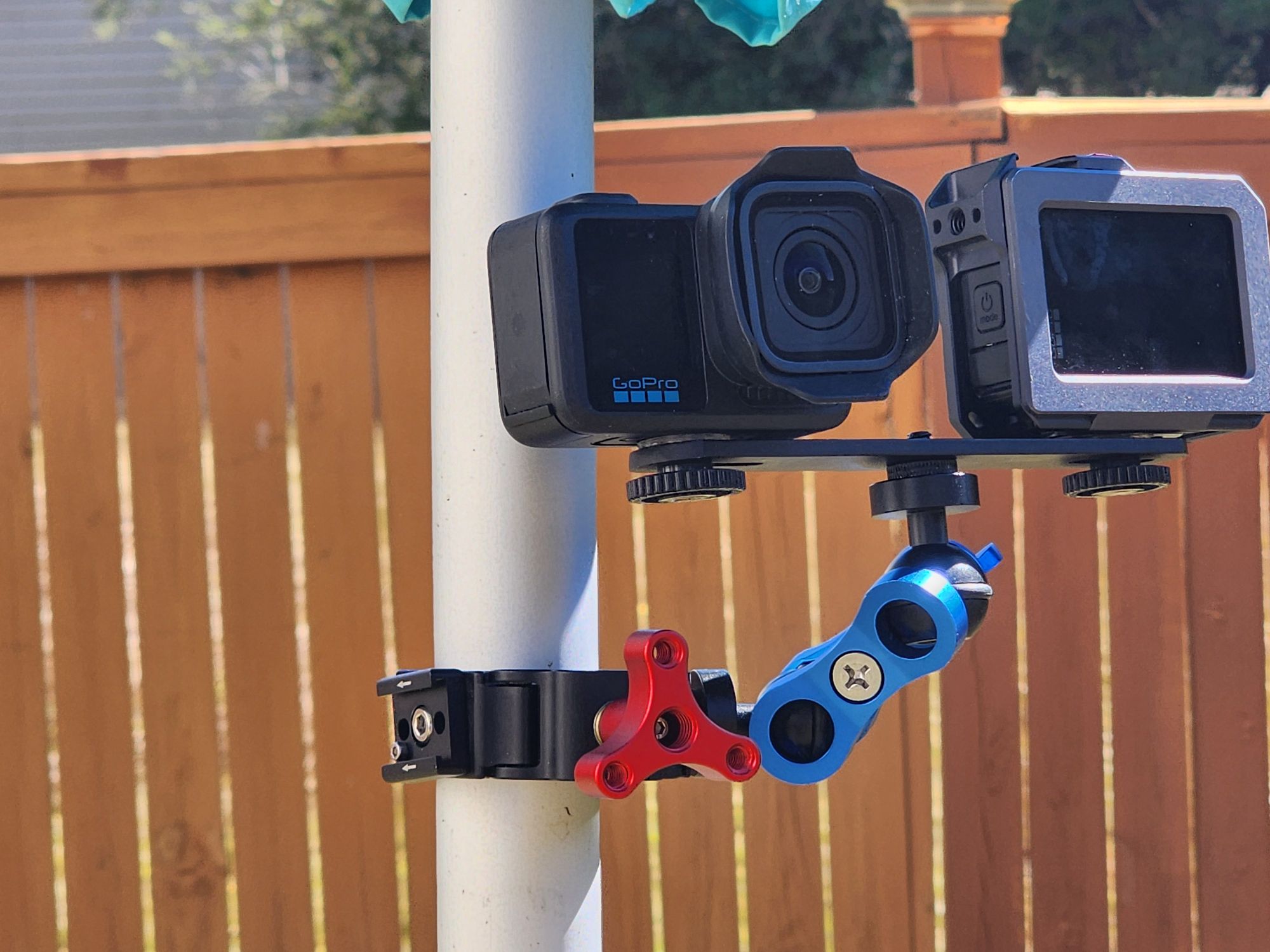
Assembled Suction Mounts

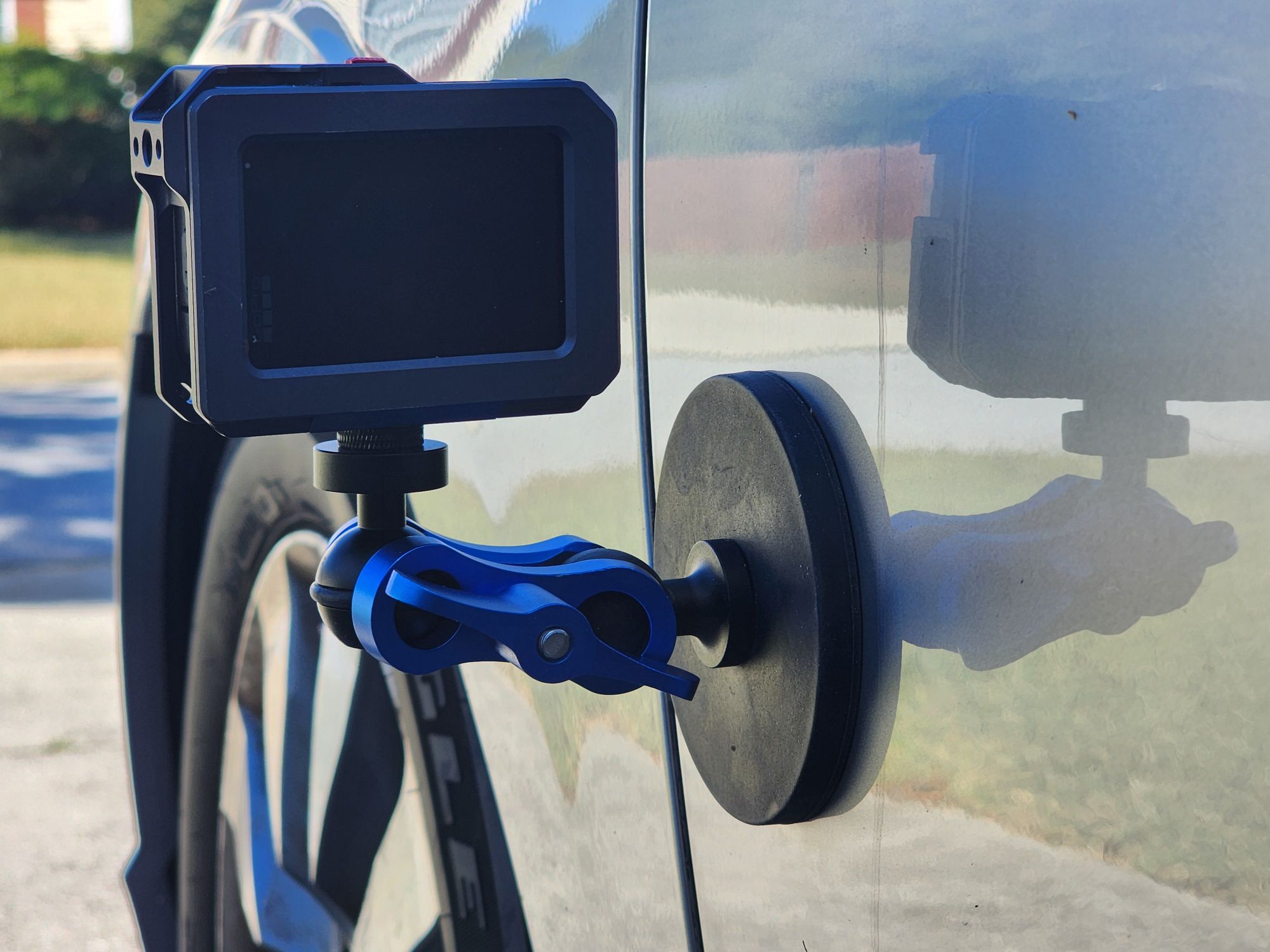
One could add more points of articulation be chaining more links of butterfly clamps and balls together.Someone can add more components for more flexibility, stability, or other functionality. Instead of a suction cup mount, I could use a magnet mount to attach to something metallic or a clamp mount to attach to a bar.

I also have a tube component for adding buoyancy to a rig. Someone might want to do this to avoid losing equipment (so that it floats if it falls into water) or may want to adjust buoyance to make something easier to handle underwater.

If you are interested in any of this hardware, I’ll post links to much of it below.

1-inch Ball Mount Gear

Posts may contain products with affiliate links. When you make purchases using these links, we receive a small commission at no extra cost to you. Thank you for your support.

Mastodon: @j2inet@masto.ai
Instagram: @j2inet
Facebook: @j2inet
YouTube: @j2inet
Telegram: j2inet
Bluesky: @j2i.net
Pi/Linux – Enumerating Sound Devices

In my exploration of the Linux ALSA API, I had to diagnose why I was unable to hear sounds. The problems was that the sound was playing to the wrong device. I found that the default output device varied by the Raspberry Pi that I used. Each Pi was running in uniquely configured hardware (a uConsole, Pocket Console 35, so on). It is possible to configure the default output device for a Pi. I ended up handling this problem in software. To do this, I had to enumerate the output devices. The code that follows was run on both a Pi and on an x64 Ubuntu Linux instance. If given a choice, you should rely on the software on your device to find the output devices. Learning how to do this from the APIs opens the possibility of software being able to select an output device independent of the system defaults.

The command to list your audio devices is aplay --list-devices. If that’s all you wanted to know, read no further. If you want to know how to do this from your own applications, continue reading.

Enumerating the Devices

The first thing that I did in furtherance of of this problem was enumerate the audio output devices. There is a single API function that we need to retrieve this information. It is snd_device_name_hint. The function takes 3 parameters.

  1. Device Index.
  2. Device Class
  3. Output Pointer

Each audio device in a system is assigned an ID number. You might hear each device referred to as a “card” for historical reasons (audio rendering devices were often called “sound cards” in earlier eras where they were on a separate circuit board). If you want information on a specific card, you can pass its index to this function. If you want information on all cards use an index of -1.

The Device Class is a string that identifies what type of device you are looking for. For cards that are playing back wave-form data, the string value “pcm” is used here. Other acceptable values include "seq". "rawmidi", and "timer". These other values are not discussed in this series.

The final argument is an output pointer. This function call will allocate memory that will be populated with the information of interest. Note that we will need to notify when the memory can be freed by passing the value that gets assigned to this pointer to snd_device_name_free_hint. The return value received is a pointer to a null-terminated array values that can be used to retrieve information on specific audio cards. We can extract these other values by calling snd_device_name_get_hint, passing one of these values as the first parameter and the property name that we want to received ("NAME", "DESC", or "IOID"). If successful, the function will return a pointer to a string containing the name. We also need to free this string by calling free().

The output pointer, being a null-terminated array, provides a quick way to count the number of devices on a system. We can iterate through the array until we encounter a null and count how many items were not null.

    void** deviceNames;
    int err;
    err = snd_device_name_hint(-1,"pcm",(&deviceNames));
    void **n = deviceNames;
    int deviceCount = 0;
    for(int i=0; n[i] != NULL; i++) {
        deviceCount++;
    }
std::wcout << "Number of PCM devices: " <<  ANSI_COLOR_GREEN << deviceCount << ANSI_COLOR_RESET << std::endl;

Reading the Device Names

These pointers do not point directly to the data that we want to see. Another function call is needed to extract the attributes. The function snd_device_name_get_hint takes a pointer value and an attribute name. If the call is successful, it returns a pointer to a string array containing the data that we asked for. It is up to us to call free() on this returned string. I’ve got a bias against managing memory when not necessary. For the sake of stability and ensuring I don’t forget to deallocate the memory, I copy the value to a std::wstring and immediately free the memory that the char sequence was in.

Plain text
while (*n != NULL) {
std::wstring name_str;
std::wstring desc_str;
std::wstring ioid_str;
char* str;
str = snd_device_name_get_hint(*n, "NAME");
name_str = c(std::string(str ? str : "N/A"));
if(str) free(str);str=NULL;
str = snd_device_name_get_hint(*n, "DESC");
desc_str = c(std::string(str ? str : "N/A"));
if(str) free(str);str=NULL;
str = snd_device_name_get_hint(*n, "IOID");
ioid_str = c(std::string(str ? str : "N/A"));
if(str) free(str);str=NULL;
std::wcout << ANSI_COLOR_CYAN << "Index:" << i << ANSI_COLOR_RESET << std::endl;
std::wcout << ANSI_COLOR_BLUE << "Name: " << ANSI_COLOR_YELLOW << name_str << ANSI_COLOR_RESET << std::endl;
std::wcout << ANSI_COLOR_BLUE << "Description: " << ANSI_COLOR_YELLOW << desc_str << ANSI_COLOR_RESET << std::endl;
std::wcout << ANSI_COLOR_BLUE << "IOID: " << ANSI_COLOR_YELLOW << ioid_str << ANSI_COLOR_RESET << std::endl << std::endl;
++i;
++n;
}

Now that the information on all the devices has been printed, We must deallocate that array of pointers.

C++
snd_device_name_free_hint(deviceNames);

With that, we can now query the sound devices available from the device.


Posts may contain products with affiliate links. When you make purchases using these links, we receive a small commission at no extra cost to you. Thank you for your support.

Mastodon: @j2inet@masto.ai
Instagram: @j2inet
Facebook: @j2inet
YouTube: @j2inet
Telegram: j2inet
Bluesky: @j2i.net